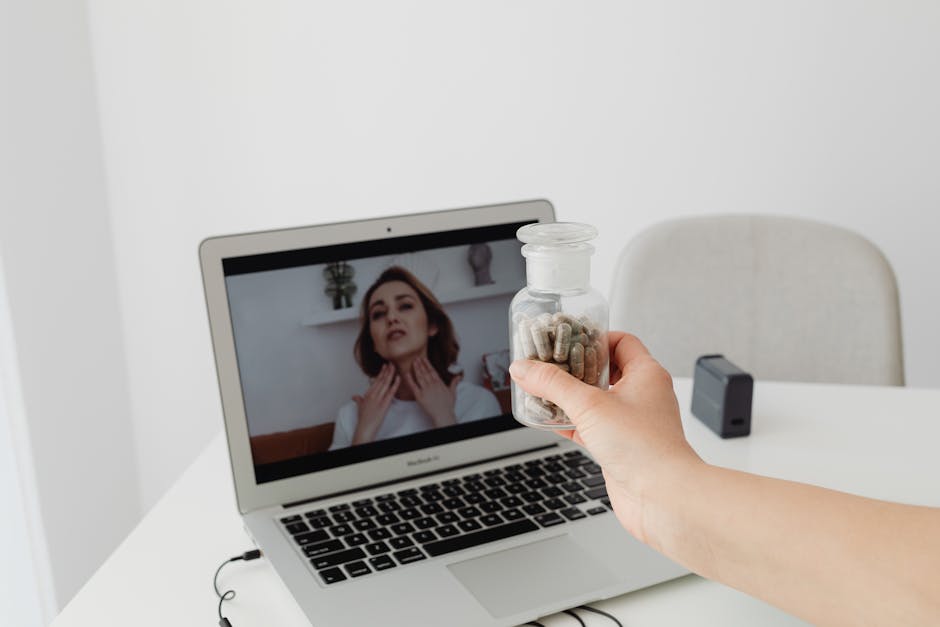

Sarah had been putting off therapy for months. Not because she didn't want it—she desperately did—but because she couldn't fathom adding two hours of commuting across London to her already overwhelming schedule.
When she discovered she could do therapy via video call from her own home during lunch breaks, everything changed. "I thought it would feel less intimate," she told me later. "But somehow, being in my own space made it easier to open up."
Video call counselling has transformed from emergency pandemic measure to preferred option for many. But making it work effectively requires more than just logging into Zoom.
This guide covers how to set up for successful video therapy, choose the right platform, create therapeutic space at home, and make online counselling as impactful as in-person sessions.
Why Video Call Counselling Works
The Research
- Effectiveness: Studies show no significant difference in outcomes between video and in-person therapy for most conditions
- Therapeutic alliance: The relationship forms just as strongly via video
- Client satisfaction: 78% of clients report preferring to continue with video even when in-person is available
- Completion rates: Higher than in-person (fewer missed appointments)
Unique Benefits
1. Accessibility
- No travel time or cost
- Access therapists anywhere in UK
- Mobility issues eliminated
- Childcare easier to manage
2. Comfort and Safety
- Your own environment
- Control over space
- Reduced anxiety about unfamiliar settings
- Easier for neurodivergent clients
3. Flexibility
- Therapy continues during travel, illness, bad weather
- Wider time slot options
- Can do sessions from wherever you are
4. Openness
Surprisingly, many find it easier to be vulnerable via video:
- Screen provides slight psychological distance
- Less intense eye contact
- Can look away naturally
- Feels less formal
Choosing the Right Platform
Zoom for Healthcare
Pros:
- Reliable, widely used
- Simple for clients
- Good quality
- GDPR compliant when configured correctly
Cons:
- Requires proper security setup
- Can feel impersonal
Cost: Included in therapist's fee
Microsoft Teams
Pros:
- Secure, encrypted
- Many already familiar
- Professional
Cons:
- Can feel corporate
- Slightly less intuitive
Attend Anywhere
Pros:
- Built for healthcare
- Highly secure
- No download needed (browser-based)
Cons:
- Mainly used by NHS
- Less common in private practice
Therapy-Specific Platforms
Examples: SimplePractice, Wiley Practice
Pros:
- Purpose-built for therapy
- Integrated scheduling and payments
- BACP/UKCP approved
Cons:
- Both parties need accounts
- More clinical feel
What to Ask Your Therapist
"What platform do you use, and is it secure?"
"What happens if connection drops?"
"Do I need to download anything?"
"How do you ensure confidentiality online?"
Technical Setup for Successful Video Therapy
Essential Equipment
Internet connection: Minimum 1-2 Mbps (test at www.speedtest.net)
Device: Laptop, tablet, or smartphone with camera and microphone
Headphones: Improves audio quality and privacy (strongly recommended)
Stable surface: For device (not handheld if possible)
Optimal Setup
Camera position: Eye level (use books to raise laptop if needed)
Lighting: Natural light or ring light in front of you (not behind—avoid windows behind you creating backlight)
Background: Neutral, uncluttered, or use virtual background
Audio: Test beforehand; close windows if street noise is issue
Pre-Session Tech Check
30 minutes before first session:
- Test audio and video
- Check internet connection
- Close unnecessary programs/tabs
- Ensure device is charged or plugged in
- Silence phone notifications
- Test therapist's platform if unfamiliar
Have backup plan: Phone number in case video fails
Creating Therapeutic Space at Home
Physical Space
Ideal characteristics:
- Private room with door
- Comfortable seating
- Quiet (minimal background noise)
- Good temperature
- Adequate lighting
If ideal space isn't available:
- Schedule when house is empty
- Use white noise machine outside door
- Wear headphones to reduce others overhearing
- Position yourself facing blank wall for privacy
Psychological Space
Pre-session ritual (5 minutes before):
- Pause other activities
- Turn off distractions
- Take three deep breaths
- Have water nearby
- Settle into your space
During session:
- Resist multitasking
- Position camera at eye level for natural "eye contact"
- Look at camera occasionally (not just at screen)
- Allow yourself to look away when needed
Post-session ritual (5 minutes after):
- Don't immediately jump into next task
- Brief pause or journal
- Short walk or stretch
- Transition mindfully
These rituals help create boundaries between "therapy time" and "home time."
Maximizing Effectiveness of Video Sessions
1. Treat It Like In-Person Therapy
- Show up on time
- Dress as you would for in-person
- Minimize distractions
- Give it your full attention
- Commit to full session duration
2. Communicate Technical Issues
If audio is poor, video frozen, or lag is distracting—say so immediately. Technical problems impact therapy; addressing them isn't wasting time.
3. Manage Distractions
- Silence phone and notifications
- Close other tabs/programs
- Put "Do Not Disturb" note on door
- Alert household members you're unavailable
4. Use Body Language
Remember: your therapist can see you
- Posture communicates
- Facial expressions matter
- Hand gestures visible
But also: you can use your body freely
- Stretch if needed
- Stand up if helpful
- Movement is fine
5. Address Awkwardness Directly
"The lag is making this feel disconnected—can we try turning video off/on?"
"It feels strange ending by clicking 'leave meeting'—can we take a moment to close properly?"
Good therapists welcome meta-conversation about the medium.
6. Embrace the Benefits
- Keep tissues, water, blanket, comfort objects nearby
- Sit somewhere comfortable
- Have journal accessible
- Pet can be present if grounding
Things harder to access in therapy rooms become available at home.
Common Challenges and Solutions
Challenge: Privacy Concerns
Issue: Others in house, thin walls, interruptions
Solutions:
- Use headphones
- Schedule when alone if possible
- White noise machine outside door
- Clear "in session" sign
- Consider therapy in car if necessary (parked, safe location)
Challenge: Technical Difficulties
Issue: Dropped calls, frozen screens, audio problems
Solutions:
- Have phone as backup
- Test connection beforehand
- Close bandwidth-heavy programs
- Consider wired connection vs. WiFi
- Discuss contingency plan with therapist
Challenge: Feeling Disconnected
Issue: Screen barrier reduces intimacy
Solutions:
- Ensure good eye level positioning
- Use smaller screen if huge monitor feels distant
- Discuss with therapist—they can adjust approach
- Consider occasional in-person sessions (hybrid)
Challenge: Session Endings Feel Abrupt
Issue: Pressing "leave meeting" lacks natural closure
Solutions:
- Ask therapist to create ending ritual
- Brief check-in before disconnecting
- Pause before clicking off
- Post-session reflection time
Challenge: Environmental Interruptions
Issue: Doorbell, pets, children, deliveries
Solutions:
- Sign on door
- Silence doorbell
- Arrange childcare or schedule during nap
- Accept some interruptions are inevitable—discuss how to handle them
Video Therapy for Specific Needs
Anxiety
Benefits: Lower-pressure environment
Considerations: Ensure you're not avoiding in-person situations long-term if that's a goal
Tips: Use grounding objects in your space
Depression
Benefits: Reduces barrier of leaving house when motivation is low
Considerations: Risk of staying isolated—balance with other social contact
Tips: Natural light during session if possible
Trauma
Benefits: Your own space may feel safer than unfamiliar room
Considerations: Ensure truly private, safe space
Tips: Establish clear grounding techniques for home environment
ADHD/Neurodivergence
Benefits: Can fidget freely, stim without self-consciousness
Considerations: Screen fatigue, maintaining attention
Tips: Standing desk, movement encouraged, shorter more frequent sessions
Couples Therapy
Benefits: Both can participate from same location
Considerations: Managing heated conflicts remotely
Tips: Both use headphones if same room, or separate rooms if needed for individual safety
When Video Might Not Be Best
Consider in-person if:
- You lack reliable internet or private space
- Technology causes significant stress
- Severe dissociation (being present is harder virtually)
- Body-focused work is central
- Acute crisis requiring immediate intervention
- You've tried video and it genuinely doesn't work for you
Cost Considerations
Pricing
Video therapy is often slightly cheaper than in-person:
Typical UK rates:
- £50-£70: Newer practitioners
- £70-£90: Experienced therapists
- £90-£120: Senior practitioners
Why sometimes cheaper: Lower overheads (no room rental)
Block discounts: Many offer reduced rates for prepaid sessions
Concessions: Ask about reduced rates for students, low income
Hybrid Approaches
Many find combining formats optimal:
Mostly video, occasional in-person: Convenience of online with depth of face-to-face when needed
Weather-dependent: Video in winter/bad weather, in-person when nice
Phase-based: Start in-person to build relationship, transition to video once established
Discuss flexibility with your therapist.
Etiquette and Best Practices
Do:
- Test tech beforehand
- Log in 2-3 minutes early (not more—therapist may be with another client)
- Use headphones
- Minimize background noise
- Inform therapist if you need to move locations
- Communicate technical issues immediately
Don't:
- Multitask (checking emails, cooking, driving)
- Record sessions without explicit permission
- Have others present without therapist's knowledge
- Log in from public places (coffee shops, trains)
- Expect therapist to accommodate last-minute tech issues
Questions to Ask Your Video Therapist
"What platform do you use and why?"
"What's your backup plan if technology fails?"
"How do you ensure confidentiality in video sessions?"
"What do I do if I lose connection mid-session?"
"Can we switch between video and in-person if needed?"
"What's your policy on cancellations and rescheduling?"
Final Thoughts
Video call counselling isn't a compromise—it's a legitimate, effective format that offers unique benefits while maintaining the core elements that make therapy work: genuine connection, safety, understanding, and support.
It requires some adaptation: technical setup, creating space at home, adjusting to the medium. But for many people, these small adjustments are far outweighed by the accessibility, convenience, and comfort video therapy provides.
The therapeutic relationship—the single most important factor in successful therapy—develops beautifully via video when both client and therapist are committed to making it work.
I offer both video and in-person therapy in South West London, with many clients choosing video for its flexibility. If you're curious about whether video counselling might suit you, I offer free 15-minute phone consultations to discuss your needs.
Sometimes the barrier to therapy isn't willingness—it's logistics. Video counselling removes many of those barriers, making professional support accessible exactly when and where you need it.
Related Topics:
Ready to start your therapy journey?
Book a free 15-minute consultation to discuss how we can support you.
Book a consultation→